See H1B Sponsorship Data
Right Inside LinkedIn Jobs
Install the free Chrome extension and get instant H1B sponsorship history next to every job listing — without ever leaving LinkedIn.
Live Demo
Watch the Extension in Action
A 60-second walkthrough showing how the H1B Checker button appears right next to LinkedIn job titles.
Can't see the video? Watch on LinkedIn ↗
How It Works
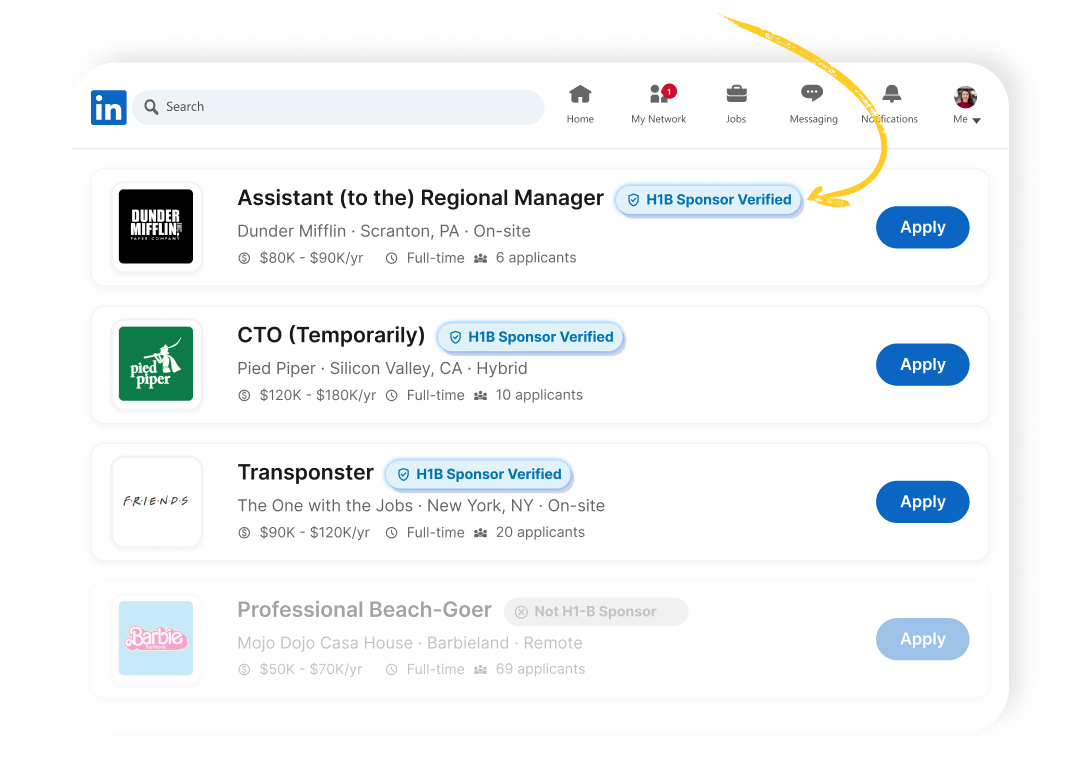
H1B data appears next to every LinkedIn job listing
After installing the extension, a small "H1B Check" button shows up right beside the job title on LinkedIn's jobs feed. One click reveals the full sponsorship history pulled from SponsorStats.
Install the Chrome Extension
Add "LinkedIn H1B Checker" from the Chrome Web Store in seconds — no account needed.
Browse LinkedIn Jobs as Usual
Open any job listing on LinkedIn. The extension activates automatically on the page.
Spot the "H1B Check" Button
A blue button appears next to the job title — right in the LinkedIn job card, no extra tabs.
Click to See Sponsorship History
Instantly see whether the company has sponsored H1B visas, total filings, and average salary — powered by SponsorStats data.
Ready to supercharge your job search? FREE
Join thousands of job seekers who check H1B sponsorship without ever leaving LinkedIn.
Add to Chrome — It's FreeWorks on Chrome and Chromium-based browsers · No sign-up required